
Best Budgeting Apps for Americans (2026 Guide)
If you’re still stuck manually tracking your expenses or, let’s be real, not keeping track at all, you’re making budgeting way more complicated than it needs to be. The best budgeting apps take care of the tedious stuff for you, allowing you to concentrate on managing your money effectively. Let me guide you through the apps that are truly worth your time in 2026.

What Is a Budgeting App?
So, what exactly is a budgeting app? It’s a piece of software, typically on your phone, that links to your bank accounts and automatically keeps tabs on your income and expenses.
Here’s how budgeting apps work: You connect your checking account, credit cards, and any other accounts you have. The app then imports your transactions automatically, sorts them into categories like groceries, dining out, gas, and more, and gives you a clear picture of where your money is going. Most of them also allow you to set spending limits, establish savings goals, and send you alerts when you’re nearing your budget limits.
Features common to most apps:
- Automatic transaction syncing
- Expense categorization
- Budget creation and tracking
- Spending alerts
- Goal setting and progress tracking
- Bills reminders
Why Use a Budgeting App?
Automatically track your spending – Say goodbye to the hassle of remembering to log expenses or manually update spreadsheets. Everything runs smoothly in the background.
Set and achieve your savings goals – Whether you’re building an emergency fund or saving for a vacation, digital budgeting tools help you visualize your progress and keep you motivated.
Gain insights that paper can’t provide – Apps reveal spending trends, allow you to compare months, and pinpoint areas where you might be overspending. This kind of visibility is incredibly powerful.
Securely sync your bank accounts – The best personal finance apps use bank-level encryption, ensuring your data is as safe as when you log into your bank’s website.
When I first started using expense tracking apps, I was shocked to find out I was spending $200 a month on random food delivery. I had no clue until I saw it all laid out in a graph. I cut that down by half right away.
How to Choose the Right Budgeting App
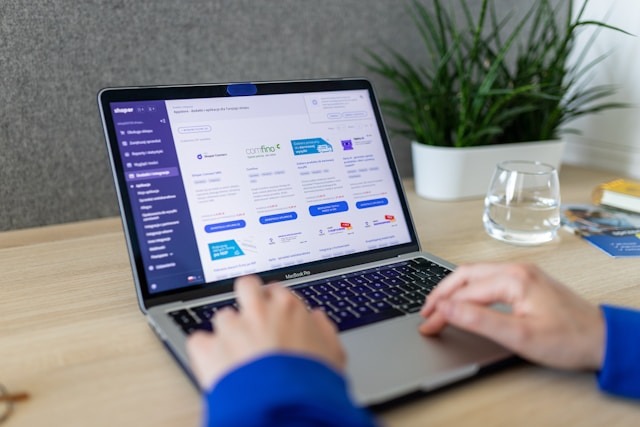
User-friendliness – If the app is too complicated, you won’t stick with it. Choose one that has a clean interface and is enjoyable to use.
Cost – There are free budgeting apps with great features out there. Paid options ($5-15/month) usually offer more automation and additional features. Think about what you’re willing to invest.
Bank integrations – Ensure the app connects with your banks. Most can link to over 10,000 institutions, but it’s wise to check if yours is included.
Goal tracking capabilities – Can you set multiple savings goals? Track your debt payoff? Some apps shine in this area, while others fall short.
Security & privacy – Look for 256-bit encryption, read-only access (so apps can’t move your money), and two-factor authentication.
Sync across devices – The best money management apps work effortlessly on your phone, tablet, and computer.
Top Budgeting Apps for Americans (Comparison)
1. Monarch Money
Best For: Overall best, couples
Price: $8.33-14.99/mo
Key Features: Net worth tracking, investment tracking, shared access
Platforms: iOS/Android/Web
2. YNAB
Best For: Hands-on budgeters
Price: $14.99/mo or $109/year
Key Features: Zero-based budgeting, educational workshops
Platforms: iOS/Android/Web
3. EveryDollar
Best For: Dave Ramsey fans, beginners
Price: Free or $17.99/mo
Key Features: Zero-based budgeting, unlimited categories
Platforms: iOS/Android/Web
4. PocketGuard
Best For: Simplicity, beginners
Price: Free or $12.99/mo
Key Features: “In My Pocket” feature shows safe-to-spend
Platforms: iOS/Android
5. Goodbudget
Best For: Envelope budgeting, privacy-focused
Price: Free or $10/mo
Key Features: Manual entry option, no bank linking required
Platforms: iOS/Android/Web
6. Simplifi
Best For: Quicken users
Price: $5.99/mo
Key Features: Spending plan, watchlists, cash flow projection
Platforms: iOS/Android/Web
7. Copilot
Best For: Apple users, design lovers
Price: $14.99/mo or $79.99/year
Key Features: Beautiful interface, AI categorization
Platforms: iOS/Mac only
8. Rocket Money
Best For: Bill negotiation
Price: Free or $6-12/mo
Key Features: Cancels subscriptions, negotiates bills
Platforms: iOS/Android
Best Budgeting Apps for Specific Needs
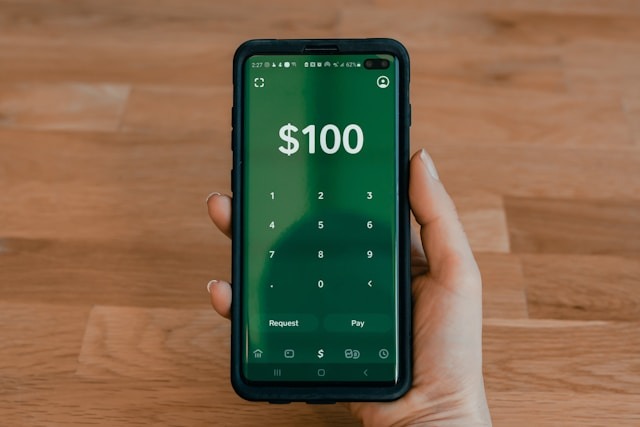
Best Free Budgeting Apps
EveryDollar (Free version)
With the free version of EveryDollar, you can dive into zero-based budgeting, complete with unlimited categories and custom budget lines. The only downside? You’ll need to enter every transaction manually since bank syncing is a perk of the paid version. The interface is clean and super user-friendly, sticking to Dave Ramsey’s budgeting principles.
Pros: Totally free, unlimited budgets, easy-to-use interface, perfect for grasping budgeting basics. Cons: No automatic bank syncing, manual entry can become a drag, and limited reporting features. Best for: Fans of Dave Ramsey, those who don’t mind entering transactions by hand, and complete beginners eager to learn budgeting.
PocketGuard (Free version)
PocketGuard’s free tier links to your bank accounts and reveals your “In My Pocket” amount—basically, how much you can spend after covering bills and savings goals. It’s incredibly straightforward, but you’re limited to 2 bank accounts and 1 savings goal in the free version.
Pros: Automatic syncing, super simple interface, instantly shows what you can safely spend. Cons: Limited to 2 accounts, only 1 savings goal, fewer customization options. Best for: Total beginners who want some automation without the cost, and folks with straightforward finances.
Goodbudget (Free version)
This app uses the envelope budgeting system, but in a digital format. You assign money to virtual envelopes (like groceries, gas, and entertainment). The free version gives you 20 envelopes and works on 2 devices. It doesn’t sync with banks, so you’ll be adding transactions manually, which some users actually prefer for privacy reasons.
Pros: The envelope method is effective, no bank linking required (great for privacy), and it syncs across devices. Cons: Manual entry only, limited to 20 envelopes and 1 account in the free version. Best for: Fans of envelope budgeting, privacy-conscious users, and couples sharing expenses.
Best Budgeting Apps for Beginners
PocketGuard – $12.99/month or $74.99/year
This budgeting app is all about simplicity. When you open it, you’ll see “In My Pocket,” which tells you exactly how much you can spend after covering your bills, goals, and essentials. No complicated charts or endless categories—just a straightforward answer to the question, “Can I afford this?”
Pros: Super easy to use, instant clarity on your spending power, automatic categorization, and a feature to help you pay off debt. Cons: Offers less customization compared to other apps and has limited investment tracking. Best for: Total beginners, those who feel overwhelmed by budgeting, or anyone who prefers simplicity over a ton of features.
EveryDollar Plus – $17.99/month or $79.99/year
If you’re following Dave Ramsey’s Baby Steps, this app is a perfect fit. It guides you through setting up your first zero-based budget with helpful prompts, ensuring every dollar has a purpose (hence the name!). The paid version even syncs with your bank, so you won’t have to enter everything manually.
Pros: A guided setup that’s perfect for beginners, unlimited custom categories, and integration with Ramsey+ resources. Cons: It’s pricier than some competitors and less flexible if you’re not following Ramsey’s method. Best for: Fans of Dave Ramsey, newcomers to zero-based budgeting, or anyone who appreciates a little extra guidance during setup.
Best Budgeting Apps for Families
Monarch Money – $8.33-14.99/month
Monarch is the best Mint alternative, especially for families and couples. You can add as many household members as you want to share budgets, track your net worth together, and keep all your accounts in one convenient spot. Both partners have full access, allowing them to categorize transactions, add manual entries, and work towards shared financial goals.
Pros: Unlimited shared users, collaborative budgeting, tracks investments and net worth, beautiful interface. Cons: No free version, can be a bit pricey for families. Best for: Couples managing money together, families seeking transparency, households with complex finances
YNAB (You Need A Budget) – $14.99/month or $109/year
YNAB allows you to share one subscription with up to six people, making it perfect for roommates or families. Everyone can see the same budget in real-time. The “age your money” concept and goal tracking features are great for families planning for big expenses together.
Pros: Share with up to six people, real-time syncing, excellent educational resources, strong community. Cons: Steep learning curve, on the pricier side, requires a hands-on budgeting approach. Best for: Dedicated budgeters, families serious about their financial goals, individuals who want to learn while using the app
Honeydue – Free
This app is built specifically for couples. You can link your accounts and decide what to share—like sharing your checking account while keeping your personal credit card private. It even has an in-app chat feature to discuss purchases and split bills easily.
Pros: Tailored for couples, free to use, bill-splitting features, and in-app messaging about finances. Cons: More basic compared to full budgeting apps, limited features, and no desktop version. Best for: Couples who prefer selective sharing, partners splitting bills, and those wanting transparency without full access.
Best Apps for Debt Tracking
YNAB – $14.99/month or $109/year
YNAB really shines when it comes to paying off debt. With its visual progress bars and detailed reports, you can easily see how quickly you’re knocking down your debt. The zero-based budgeting method encourages you to assign every dollar a job, which naturally helps you focus on paying off what you owe. Plus, they offer great educational resources specifically aimed at helping you get out of debt.
Pros: Excellent visuals for tracking debt, informative workshops on debt elimination, and encourages mindful spending. Cons: Subscription can be pricey, has a bit of a learning curve, and requires you to stay engaged. Best for: Those who are serious about aggressively paying off debt, and anyone who needs a little accountability and guidance.
EveryDollar Plus – $17.99/month
This app integrates debt payoff into your overall budget, following Dave Ramsey’s popular debt snowball method. You can keep tabs on multiple debts, see your payoff timelines, and track your progress as you tackle your debts from smallest to largest.
Pros: Designed specifically for the debt snowball method, clear visuals for debt payoff, and connects with Ramsey+ educational resources. Cons: Focuses on one specific debt strategy, can be a bit expensive, may feel limiting if you don’t follow Ramsey’s approach. Best for: Followers of Dave Ramsey, users of the debt snowball method, and anyone looking for motivation through quick wins
Best Apps for Automated Savings
Rocket Money – Free tier or $6-12/month
Looking for a way to manage your finances? Check out Rocket Money, which offers a free tier or a subscription ranging from $6 to $12 a month. This app goes beyond just budgeting; it actively helps you save money by spotting subscriptions you might not be using and even cancels them for you. Plus, it negotiates your bills—think cable, internet, and phone—to help lower your expenses. If you opt for the premium tier, you’ll get features like savings goals and custom budgets.
Pros: It genuinely saves you money, cancels subscriptions you don’t want, negotiates bills, and uncovers hidden fees. Cons: The premium pricing is based on the savings they secure for you (they take a cut), and its basic budgeting features don’t quite stack up against dedicated apps. Best for: Those who are tired of overpaying for subscriptions, anyone looking for help with bill negotiations, and people wanting to manage their subscriptions effectively.
Simplifi by Quicken – $5.99/month
Another option is Simplifi by Quicken, which costs $5.99 a month. This app crafts a personalized “spending plan” that adapts as your bills and income fluctuate. With its watchlist feature, you can keep an eye on specific spending categories, and the savings goals feature automatically allocates money based on your plan.
Pros: It’s affordable, offers a flexible spending plan instead of a rigid budget, provides excellent cash flow projections, and has a clean interface. Cons: It has less educational content compared to YNAB, fewer features than Monarch, and limited investment tracking. Best for: Those who dislike traditional budgeting, anyone seeking flexibility, and former Quicken desktop users.
How to Set Up Your First Budget in an App
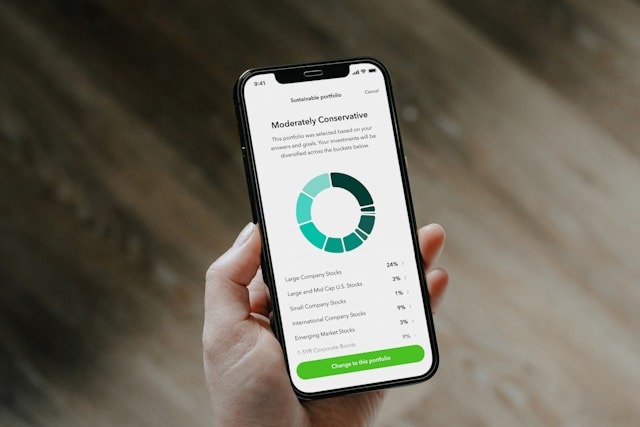
Step 1: Choose your income – Start by entering your monthly take-home pay after taxes. If your income fluctuates, go with your average or the lowest month.
Step 2: Categorize expenses – Most budgeting apps automatically create categories like housing, food, and transportation. Feel free to tweak them to fit your needs.
Step 3: Set saving goals – Whether it’s for an emergency fund, a vacation, or a new car, define what you’re aiming for. Set specific amounts and timelines to keep you on track.
Step 4: Track progress – At first, check the app weekly, then ease up as you get the hang of it. Keep an eye out for any overspending habits that might pop up.
The first month with a budget planner app can be a bit bumpy. Your categories might not be perfect, and you might forget to include some expenses. That’s totally normal! Just adjust as you go and keep pushing forward.
How Budgeting Apps Can Improve Your Finances
Tracking spending habits – Seeing that you’re spending $300 a month on dining out hits differently than just mindlessly swiping your card.
Setting real goals – Apps help turn vague ideas like “save more money” into clear targets, like saving $500 for an emergency fund by March.
Spending alerts – Get notifications when you’re nearing your budget limits, helping you avoid overspending before it happens.
Saving reminders – These apps give you gentle nudges to save, transfer money to your goals, and keep you accountable.
Since I started using expense tracking apps, I’ve managed to cut down on unnecessary spending by $400 a month, all thanks to being more aware of my habits. No need for extra willpower—just a little visibility!
Common Budgeting App Mistakes to Avoid
Not updating categories – The app tries to guess where your transactions belong, but it’s not always spot on. Make it a habit to review your transactions weekly and fix any misclassifications.
Ignoring alerts – If the app notifies you that you’re going over budget, take it seriously! Don’t just brush off those notifications; do something about them.
Not syncing accounts – Make sure to connect ALL your accounts—checking, savings, and credit cards. If you only link a few, you’re missing out on the full picture, which can lead to poor financial choices.
Leaving balances unreviewed – Regularly check that the balances in your app match what’s actually in your accounts. Sometimes transactions can take a while to show up, or there might be syncing errors.
Budgeting Apps vs Manual Budgeting
Pros of apps:
- Automatic tracking (saves hours monthly)
- Real-time updates
- Better visibility into spending patterns
- Harder to “forget” expenses
Cons of apps:
- Monthly cost for best features ($5-15)
- Learning curve
- Requires linking bank accounts (privacy concern for some)
- Occasional sync issues
When manual budgeting still makes sense: If you’re really concerned about privacy, have straightforward finances, or just love working with spreadsheets, manual budgeting can work well. But for most people, apps make things a lot easier.
Hybrid approaches: Some folks prefer to use apps for tracking but still create their monthly budgets manually in spreadsheets. Whatever suits you best!
Frequently Asked Questions
Are budgeting apps safe to use?
Absolutely! Reputable budgeting apps are designed with security in mind. They utilize 256-bit bank-level encryption, which is the same level of security you’d find in online banking. Plus, they only have read-only access to your accounts, meaning they can view your transactions but can’t transfer money or make purchases. Many top apps also provide two-factor authentication for that extra layer of safety.
What is the best budgeting app for beginners?
If you’re just starting out, PocketGuard is the best budgeting app. Its user-friendly interface and the “In My Pocket” feature help you see how much you can spend without going overboard. Another great option is EveryDollar, especially if you’re following Dave Ramsey’s budgeting method. Both apps offer easy setup and intuitive designs that make budgeting a breeze.
Are budgeting apps worth it?
Definitely! Especially the paid versions. The convenience of automatic tracking and the valuable insights you gain from analyzing your spending make the $10-15/month fee worthwhile for most people. Research shows that users of budgeting apps tend to stick to their budgets more consistently and save more money compared to those who budget manually. If you’re serious about managing your finances, investing in a budgeting app can really pay off.
Can I use multiple budgeting apps?
Sure, you can use multiple budgeting apps, but it’s generally not the best idea. Juggling several apps can lead to confusion and added hassle. It’s better to choose one main budgeting app that suits your needs and stick with it. The only time you might want to use more than one is if you have one for budgeting and another for tracking investments, like Empower or Personal Capital.
Do budgeting apps work with every bank?
As for whether budgeting apps work with every bank, most of the big players connect with over 10,000 financial institutions through services like Plaid. This covers nearly all major banks and most credit unions. However, if you have a smaller regional bank or credit union, it might not be supported. So, it’s a good idea to check if your bank is listed on the app’s website before you sign up.
What happened to Mint?
And regarding Mint, it officially shut down in January 2024 after Intuit decided to pull the plug on the service. Many former Mint users have switched to Mint alternatives like Monarch Money, Copilot, Simplifi, and YNAB. Most of these options come with tools to help you import your Mint data. Monarch Money is often seen as the closest match in terms of features.
Final Thoughts: Find the App That Fits You
Hey there! Let’s be real: the best budgeting apps aren’t some kind of magic wand. They won’t instantly make you wealthy or change your spending habits overnight. But here’s the good news—they can make budgeting ten times easier by taking care of the boring stuff for you. When budgeting becomes simpler, you’re more likely to stick with it. And when you actually stick with it, you end up saving more, spending less on impulse, and making real progress toward your financial goals.
My advice? Give 2-3 apps a shot before you settle on one. Most of them come with free trials, so you can figure out which interface you enjoy, which features you find useful, and which app you’ll actually want to open regularly.
Remember, the best app is the one you’ll use each week consistently. That’s way more important than having every single feature under the sun.
So, download one today, link your accounts, and spend just 15 minutes setting it up. That’s all it takes to start getting a handle on your finances!
I’m rooting for you,
Clouds.
P.S. Start with the free versions first! Both EveryDollar and PocketGuard have great free options. Once you see how valuable they are, upgrading to the paid versions will be a no-brainer. Just make sure you’ll actually use it before you commit to any subscriptions!