
Top 5 Business Automation Tools Every Entrepreneur Needs to Streamline Operations
Running a successful business can be challenging yet exciting, especially when we see positive results. Entrepreneurs today are expected to manage marketing, customer service, sales, accounting, project management, and team collaboration, often with limited time and resources.
The good news? You don’t have to do everything manually.
Thanks to advances in artificial intelligence (AI), cloud computing, and workflow automation, entrepreneurs can automate repetitive tasks, improve productivity, reduce operating costs, and focus on what truly matters: growing their business.
According to various industry studies, businesses that embrace automation save hundreds of hours annually while significantly improving customer satisfaction and operational efficiency.
In this article, we’ll explore the Top 5 Business Automation Tools Every Entrepreneur Needs to streamline operations, increase efficiency, and scale faster.
Why Business Automation Matters
Before diving into the tools, it’s important to understand why automation is no longer optional.
Business automation helps entrepreneurs:
- Eliminate repetitive manual tasks
- Reduce human errors
- Improve customer experience
- Increase employee productivity
- Save operational costs
- Speed up decision-making
- Scale business processes effortlessly
Instead of spending hours performing routine administrative work, entrepreneurs can dedicate more time to innovation, strategy, and customer relationships.
1. Zapier – Best for Workflow Automation
What is Zapier?
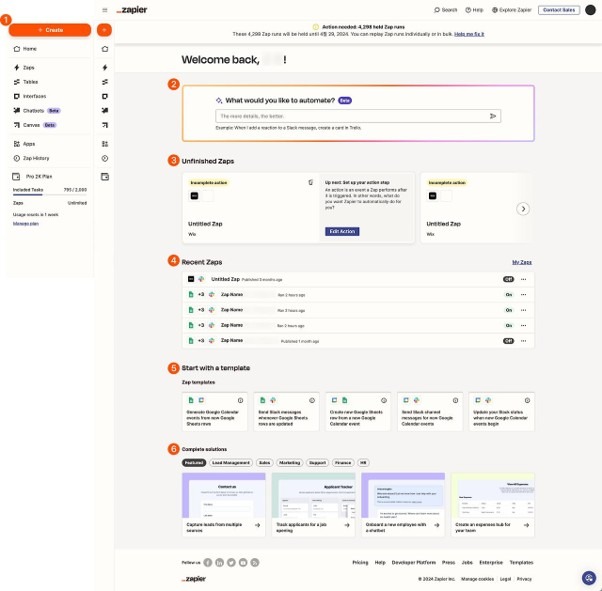
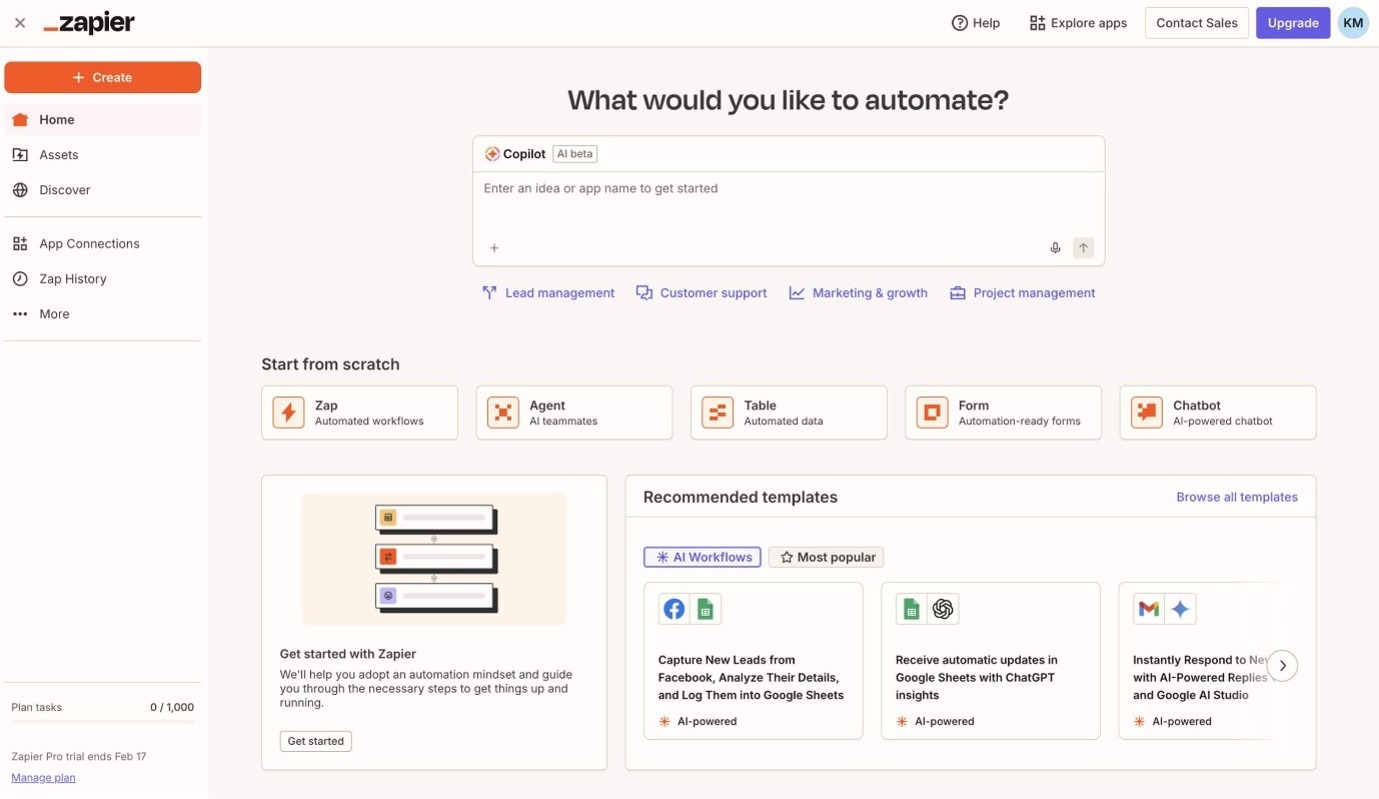
Zapier is one of the world’s most popular no-code automation platforms that connects over 8,000+ applications. It allows businesses to automate workflows between different software without writing a single line of code.
For example:
- New website lead → Automatically added to CRM
- Customer purchases product → Send invoice automatically
- New email received → Create project task
- Social media post published → Save to Google Sheets
These automated workflows are called Zaps.
Key Features
- No-code automation
- Multi-step workflows
- AI-powered workflow builder
- Conditional logic
- Scheduled automations
- Integration with thousands of apps
- Team collaboration
Benefits for Entrepreneurs
- Saves hours every week
- Eliminates repetitive tasks
- Reduces manual errors
- Connects all business applications
- Scales with business growth
Best For
- Small businesses
- Freelancers
- Agencies
- E-commerce stores
- Service businesses
2. HubSpot CRM – Best All-in-One Sales & Marketing Automation
Every entrepreneur needs a Customer Relationship Management (CRM) system.
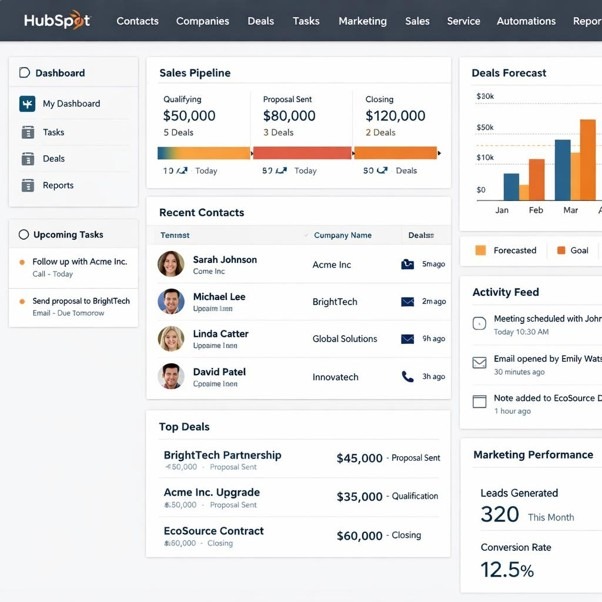
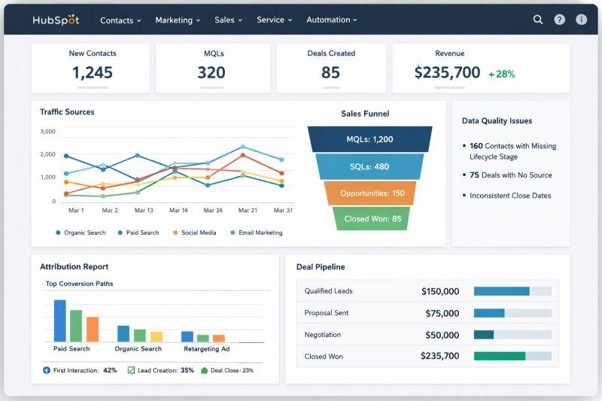
HubSpot combines CRM, email marketing, customer service, sales automation, and reporting into one platform.
What Can HubSpot Automate?
- Lead capture
- Follow-up emails
- Customer segmentation
- Sales pipeline updates
- Meeting scheduling
- Customer onboarding
- Marketing campaigns
Key Features
- Free CRM
- Email automation
- Marketing automation
- Live chat
- Deal tracking
- Contact management
- Sales analytics
- AI-powered content generation
Benefits
- Never lose customer information
- Increase sales conversions
- Better customer engagement
- Improved marketing ROI
- Centralized customer data
Best For
- Startups
- Consultants
- B2B companies
- Growing businesses
3. Asana – Best Project Management Automation
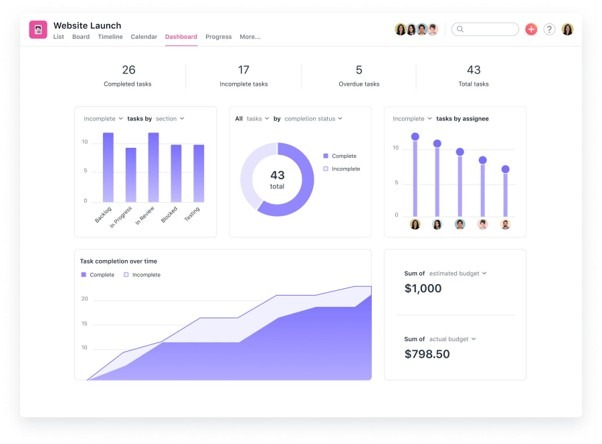
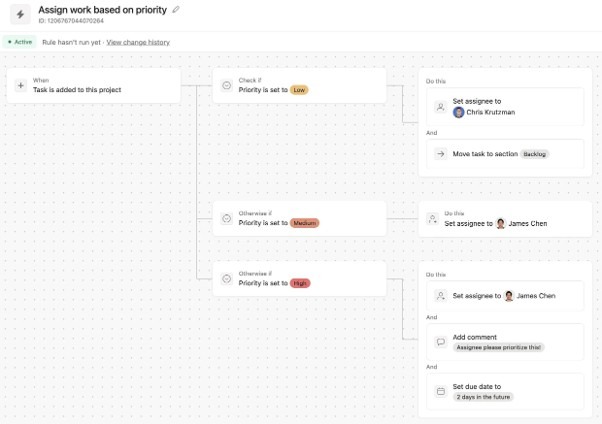
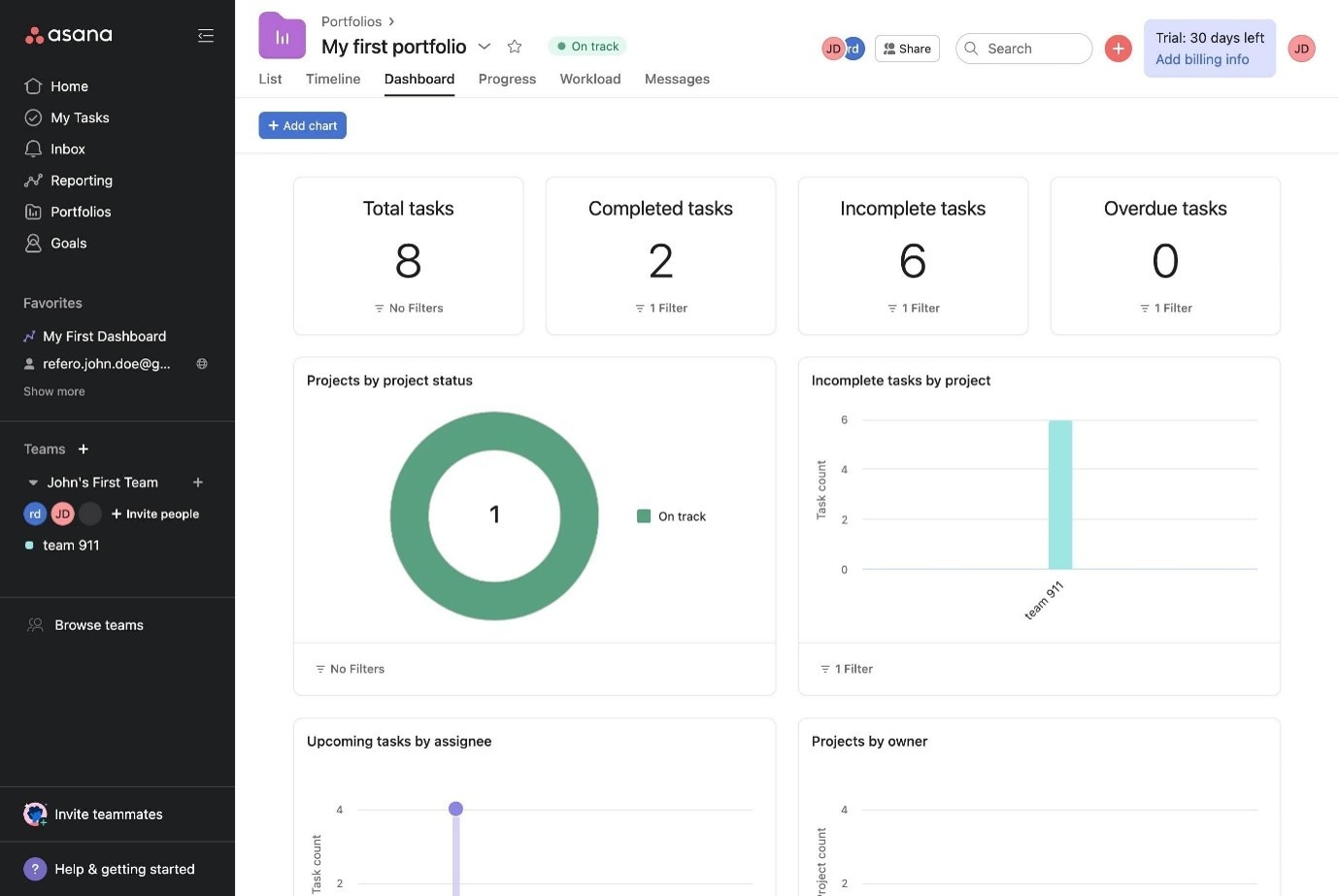
As businesses grow, managing projects becomes increasingly difficult.
Asana helps entrepreneurs organize work, assign responsibilities, automate recurring tasks, and monitor project progress.
Automation Features
- Automatic task assignments
- Due date reminders
- Recurring tasks
- Project templates
- Rule-based workflows
- Status updates
- Notifications
Key Features
- Project boards
- Timeline view
- Calendar
- Team collaboration
- Task dependencies
- Reporting dashboard
- AI assistance
Benefits
- Better team collaboration
- Improved accountability
- Faster project completion
- Clear visibility into operations
Best For
- Marketing teams
- Agencies
- Remote teams
- Software development
- Business operations
4. QuickBooks Online – Best Accounting Automation
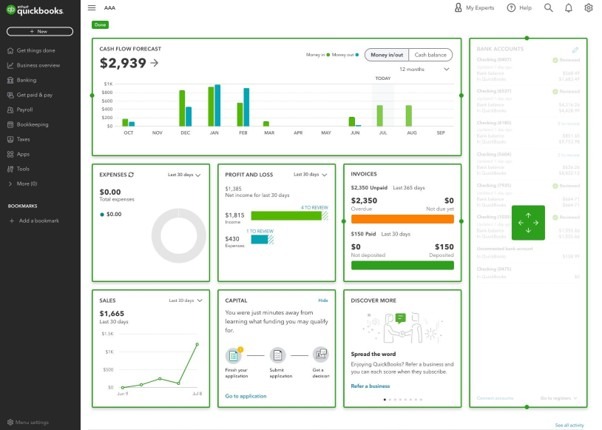
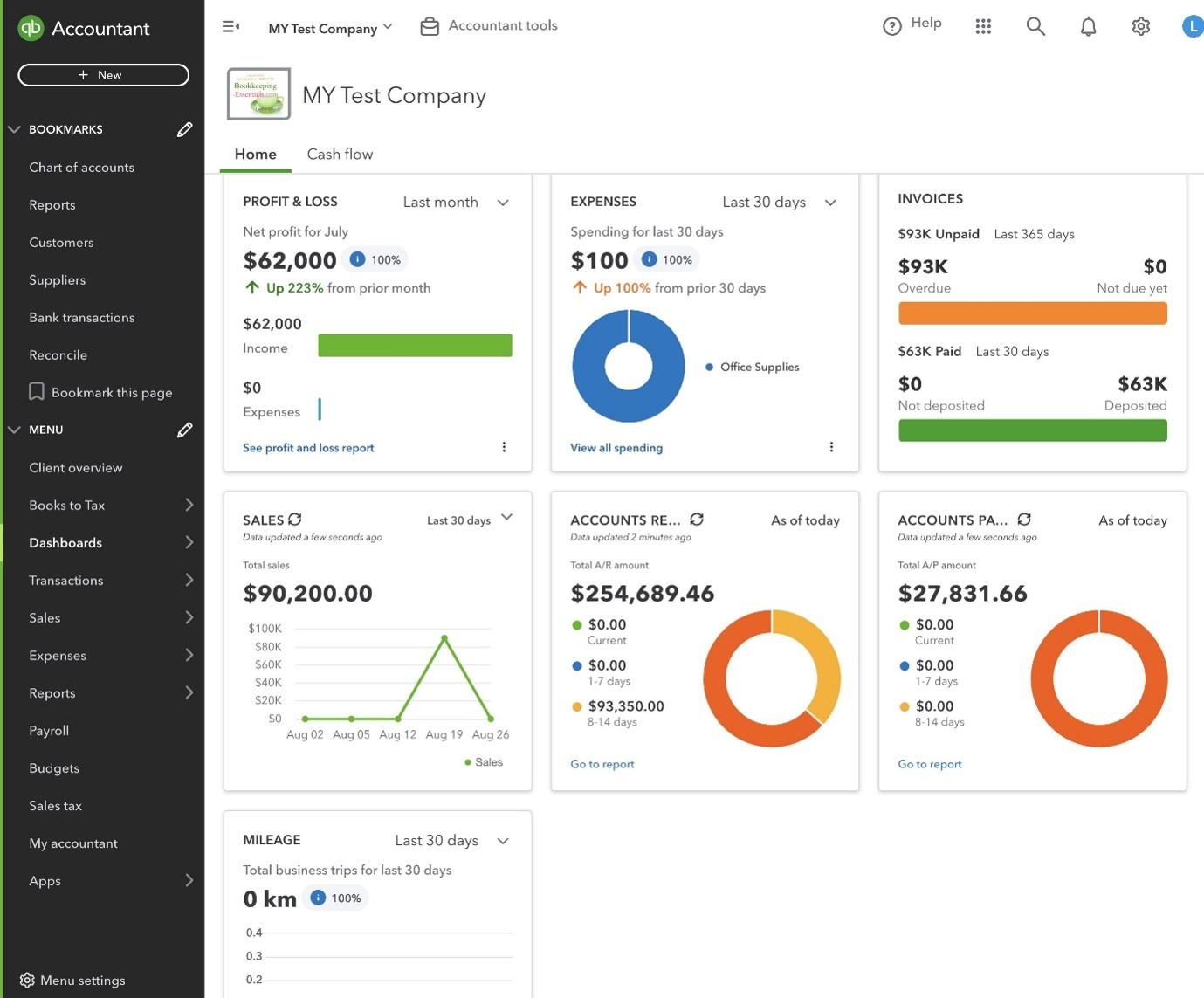
Accounting is one of the most time-consuming aspects of running a business.
QuickBooks Online automates bookkeeping, invoicing, payroll, expense tracking, and financial reporting.
What It Automates
- Invoice creation
- Payment reminders
- Expense categorization
- Bank reconciliation
- Financial reports
- Payroll processing
- Tax calculations
Key Features
- Automated bookkeeping
- Cash flow management
- Expense tracking
- Inventory management
- Payroll integration
- Financial dashboards
Benefits
- Saves accounting time
- Improves cash flow visibility
- Reduces bookkeeping errors
- Simplifies tax preparation
Best For
- SMEs
- Retail businesses
- Service companies
- Consultants
5. Mailchimp – Best Email Marketing Automation
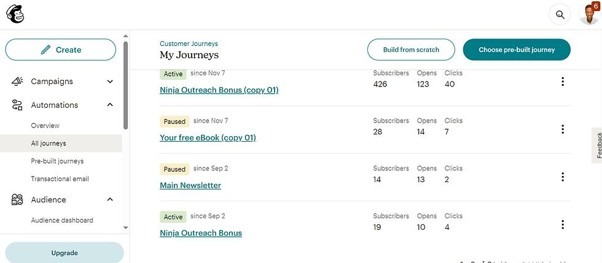
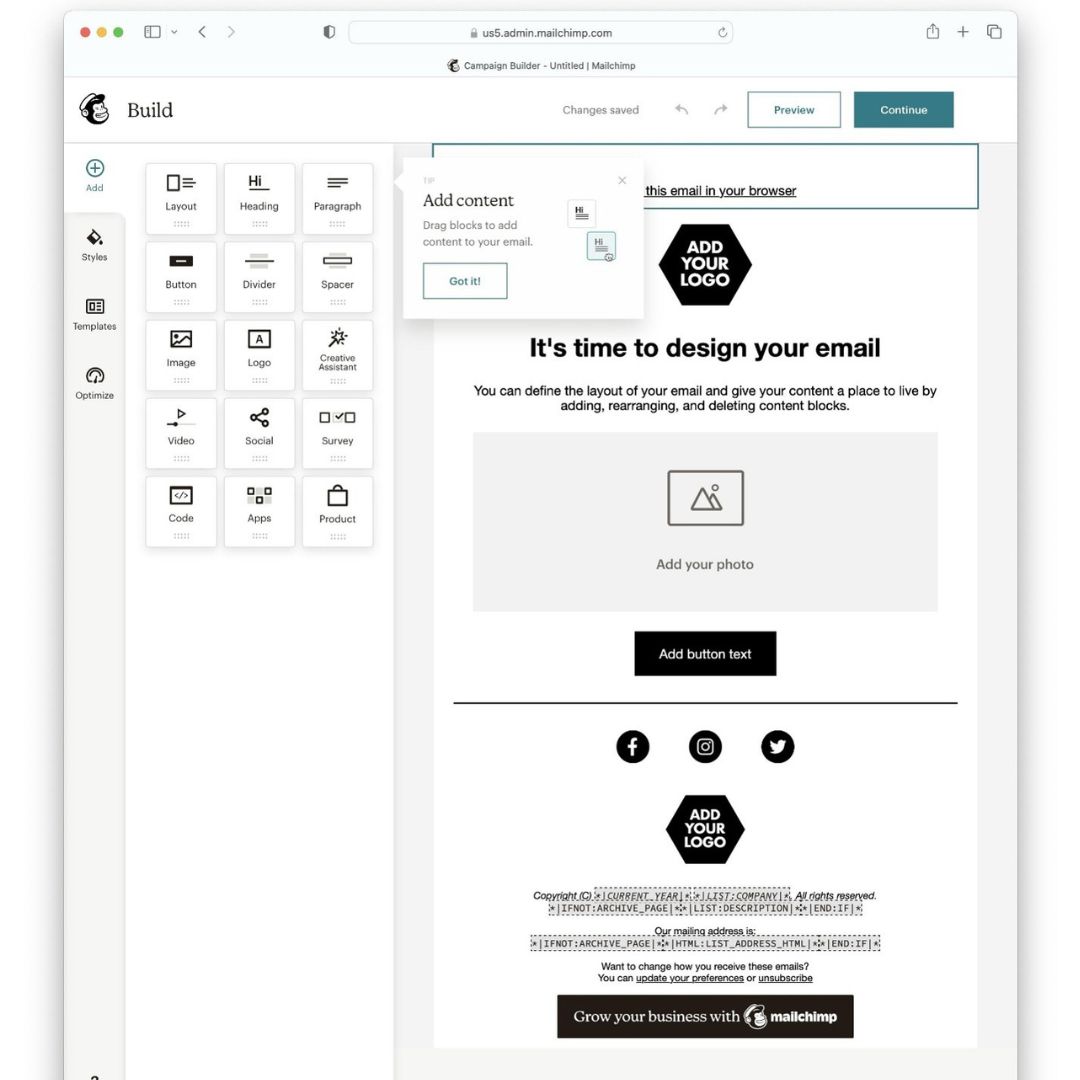
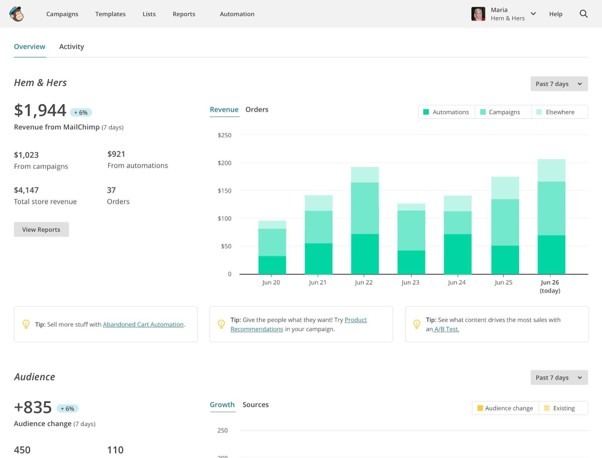
Email marketing continues to deliver one of the highest returns on investment among digital marketing channels.
Mailchimp enables entrepreneurs to automate customer communication and nurture leads without constant manual effort.
Automations Include
- Welcome emails
- Abandoned cart emails
- Birthday messages
- Customer re-engagement
- Product recommendations
- Newsletter scheduling
- Lead nurturing sequences
Key Features
- Email templates
- Marketing automation
- Audience segmentation
- Analytics
- Landing pages
- AI content assistance
- A/B testing
Benefits
- Higher customer retention
- Increased sales
- Improved customer engagement
- Better lead nurturing
Best For
- Online stores
- Bloggers
- Coaches
- Service businesses
- Digital marketers
Comparison Table
| Tool | Primary Function | Best For | Free Plan |
| Zapier | Workflow automation | Connecting apps | Yes |
| HubSpot CRM | Sales & marketing | Customer management | Yes |
| Asana | Project management | Team collaboration | Yes |
| QuickBooks Online | Accounting | Financial management | Trial (varies by region) |
| Mailchimp | Email marketing | Customer engagement | Yes (limits apply) |
How to Choose the Right Business Automation Tool
Not every business needs every automation platform. Consider the following factors before investing:
- Identify Repetitive Tasks: List activities your team performs repeatedly, such as invoicing, follow-up emails, or data entry.
- Consider Integration: Choose tools that integrate seamlessly with your existing software ecosystem.
- Evaluate Scalability: Select solutions that can grow alongside your business.
- Ease of Use: Look for intuitive, user-friendly platforms that require minimal training.
- Pricing: Compare free plans, subscription tiers, and expected return on investment before making a commitment.
Common Business Processes You Should Automate
Here are some of the highest-impact areas for automation:
- Lead generation
- Email marketing
- Customer onboarding
- Appointment scheduling
- Social media publishing
- Accounting
- Payroll
- Inventory management
- Customer support
- Project management
- Document approvals
- Internal reporting
Automating these workflows can significantly reduce administrative overhead while improving consistency and responsiveness.
Tips for Successful Business Automation
To maximize the value of automation:
- Start with one or two high-impact processes.
- Document your workflows before automating them.
- Train your team on the new tools.
- Monitor automation performance regularly.
- Review and optimize workflows as your business evolves.
- Keep a human touch where empathy and relationship-building matter, especially in customer support and sales.
Future Trends in Business Automation
Business automation continues to evolve rapidly. Emerging trends include:
- AI-powered virtual assistants
- Predictive analytics
- Intelligent document processing
- Conversational AI for customer support
- Robotic Process Automation (RPA)
- AI-driven sales forecasting
- Hyperautomation that combines AI, machine learning, and automation technologies
Entrepreneurs who adopt these innovations early can gain a competitive edge through greater efficiency and smarter decision-making.
Final Thoughts
Automation is no longer a luxury reserved for large corporations. Today’s entrepreneurs have access to affordable, powerful tools that can eliminate repetitive work, improve accuracy, and free up valuable time for strategic growth.
Whether you’re managing customer relationships with HubSpot CRM, connecting apps through Zapier, organizing projects in Asana, simplifying finances with QuickBooks Online, or nurturing customers using Mailchimp, the right automation stack can transform the way you run your business.
Start by identifying your biggest operational bottlenecks, automate one process at a time, and expand as your business grows. Small improvements in efficiency today can lead to substantial gains in productivity, profitability, and customer satisfaction tomorrow.
Frequently Asked Questions (FAQs)
What are business automation tools?
Business automation tools are software applications that automate repetitive tasks and workflows, reducing manual effort and improving operational efficiency.
Which business automation tool is best for small businesses?
For most small businesses:
- Zapier is ideal for workflow automation.
- HubSpot CRM excels at customer relationship management.
- Asana is excellent for project management.
- QuickBooks Online simplifies accounting.
- Mailchimp is a strong choice for email marketing.
The best option depends on your business’s primary needs.
Are business automation tools expensive?
Many leading platforms offer free plans or affordable entry-level subscriptions, allowing startups and small businesses to begin automating without a large upfront investment.
Can automation replace employees?
No. Automation is designed to handle repetitive, rule-based tasks so employees can focus on higher-value activities such as problem-solving, creativity, customer relationships, and strategic decision-making.
How do I start automating my business?
Begin by identifying the most time-consuming repetitive tasks, choose a tool that addresses them, implement automation gradually, and measure the results before expanding to additional workflows.